Building an AI Hotel Image Ranker with Snowflake Cortex
Introduction
In the travel industry, images play an important role in influencing booking decisions. When users browse hotel listings, the images they see first often determine whether they continue exploring a property or move on to another option.
However, hotel room listings frequently contain multiple images per room, and not all of them are equally effective. Some images greatly showcase the room, while others may focus on details such as furniture, bathrooms, or poorly framed shots that do not capture the character of the room.
Selecting the best image to display first can therefore have a direct impact on user engagement and booking conversion.
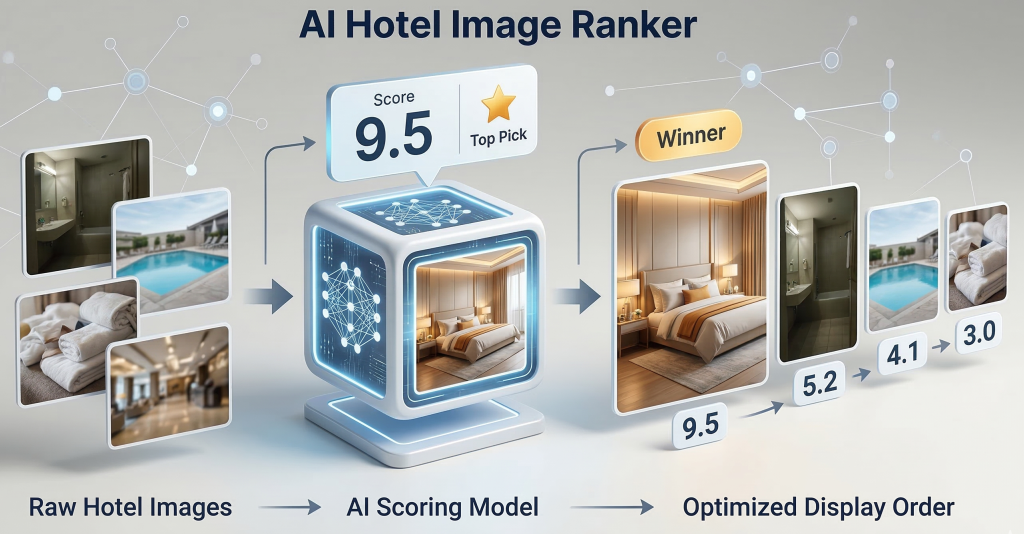
Let's explore how to build an AI-powered hotel image ranking solution using Snowflake Cortex. The goal is to analyze room images and determine which image best represents the room and should be shown first to the users.
Understanding the Data
Hotel content typically follows a hierarchical structure: a hotel has many rooms, and each room has many images. The number of images per room varies, their order is often arbitrary, and not all of them actually show the room.
Hotel
 ├── Standard Room
 │    ├── image_1.jpg (room)
 │    └── image_2.jpg (bathroom)
 │
 └── Deluxe Suite
      ├── image_3.jpg (room)
      ├── image_4.jpg (bathroom)
      ├── image_5.jpg (pool)
      └── image_6.jpg (room)
In many travel platforms, these images are stored as an array of image URLs associated with each room.
{
  "hotel_id": "H1001",
  "rooms": [
    {
      "room_id": "R1",
      "room_name": "Deluxe Room",
      "images": [
        "https://cdn.hotel.com/images/r1_1.jpg",
        "https://cdn.hotel.com/images/r1_2.jpg",
        "https://cdn.hotel.com/images/r1_3.jpg"
      ]
    }
  ]
}
While this structure is convenient for APIs, it is not ideal for analysis - we will flatten this structure.
Preparing the Data
To evaluate images, we represent each image as a separate row as per the flattened table below.
| hotel_id | room_id | room_name | image_url |
|---|---|---|---|
| H1001 | R1 | Deluxe Room | image_1.jpg |
| H1001 | R1 | Deluxe Room | image_2.jpg |
| H1001 | R1 | Deluxe Room | image_3.jpg |
This format allows us to analyze each image individually, apply AI scoring, and rank images within a room.
Creating a hotel room image table
To evaluate and rank images with Snowflake Cortex, we first create a table where each image is represented as a separate row.
In addition, for each image we store:
image_rank- the original position of the image in the source JSON arrayimage_score- the score assigned by the AI modelai_rank- the optimized ranking generated from the AI score
CREATE OR REPLACE TABLE hotel_room_images (
    hotel_id    STRING,
    room_id     STRING,
    room_name   STRING,
    image_url   STRING,
    image_rank  INT,      -- original order from JSON array
    image_score FLOAT,    -- score generated by AI model
    ai_rank     INT       -- optimized rank based on score
);
Uploading sample images
Snowflake Cortex requires images to be stored in an internal stage.
-- SSE: server-side encryption managed by Snowflake
CREATE OR REPLACE STAGE hotel_images
    ENCRYPTION = (TYPE = 'SNOWFLAKE_SSE');
Once created, upload your images via Snowflake UI by navigating to
Ingestion > Add data > Load files into a Stage, then select your database, schema and stage as well as the images to upload and use the Upload button.
For the purpose of this post, let's use the following sample images from Unsplash.
| Room | Source | Attribute | File in stage |
|---|---|---|---|
| R101 | Standard Room | Room | photo-1631049307264-da0ec9d70304.jpeg |
| R101 | Standard Room | Bathroom | photo-1552321554-5fefe8c9ef14.jpeg |
| R102 | Deluxe Suite | Bathroom | photo-1584622650111-993a426fbf0a.jpeg |
| R102 | Deluxe Suite | Bathroom | photo-1507652313519-d4e9174996dd.jpeg |
| R102 | Deluxe Suite | Pool | photo-1566073771259-6a8506099945.jpeg |
| R102 | Deluxe Suite | Room | photo-1618773928121-c32242e63f39.jpeg |
List stage content with
LS @hotel_images;to verify upload
Inserting sample data
INSERT INTO hotel_room_images (
    hotel_id, room_id, room_name, image_url, image_rank, image_score, ai_rank
)
VALUES
-- Standard Room: 2 images (room, bathroom)
('H1001', 'R101', 'Standard Room', 'photo-1631049307264-da0ec9d70304.jpeg', 1, NULL, NULL),
('H1001', 'R101', 'Standard Room', 'photo-1552321554-5fefe8c9ef14.jpeg',   2, NULL, NULL),
-- Deluxe Suite: 4 images (bathroom, bathroom, pool, room)
('H1001', 'R102', 'Deluxe Suite', 'photo-1584622650111-993a426fbf0a.jpeg', 1, NULL, NULL),
('H1001', 'R102', 'Deluxe Suite', 'photo-1507652313519-d4e9174996dd.jpeg', 2, NULL, NULL),
('H1001', 'R102', 'Deluxe Suite', 'photo-1566073771259-6a8506099945.jpeg', 3, NULL, NULL),
('H1001', 'R102', 'Deluxe Suite', 'photo-1618773928121-c32242e63f39.jpeg', 4, NULL, NULL);
Scoring Images
Now that each image is stored as a separate row, we can evaluate them using Snowflake Cortex. The goal is to assign a score that represents how suitable the image is as the primary image for a hotel room listing.
Example prompt
The AI model can evaluate an image using a prompt such as:
Score this hotel room image from 1–10 based on how well it represents the main view of the hotel room for a listing.

Prioritize images that show a clear, wide view of the room layout, including key elements such as the bed, furniture, windows, or seating.

9–10: Wide, bright image clearly showing most of the room layout.
7–8: Good view of the room but slightly limited layout visibility.
4–6: Partial room view or focused on one area.
1–3: Close-ups, decor, bathroom images, or images that do not show the room layout.

Prefer wide room views over detail shots.
Respond with a single integer between 1 and 10. No text, no explanation, just the number.
The prompt drives scoring, tailor it to your design guidelines or brand principles.
Updating scores with Cortex
UPDATE hotel_room_images
SET image_score =
    SNOWFLAKE.CORTEX.AI_COMPLETE(
        'claude-4-sonnet',
        'Score this hotel room image from 1-10 based on how well it represents the main view of the hotel room for a listing. '
        || 'Prioritize images that show a clear, wide view of the room layout, including key elements such as the bed, furniture, windows, or seating. '
        || '9-10: Wide, bright image clearly showing most of the room layout. '
        || '7-8: Good view of the room but slightly limited layout visibility. '
        || '4-6: Partial room view or focused on one area. '
        || '1-3: Close-ups, decor, bathroom images, or images that do not show the room layout. '
        || 'Prefer wide room views over detail shots. '
        || 'Respond with a single integer between 1 and 10. No text, no explanation, just the number.',
        TO_FILE('@hotel_images', image_url)
    );
Images can be evaluated individually or ranked as a group with a single request.
Be aware of model limitations, particularly when grouping.
Computing the optimized ranking
Once every image has a score, we can compute the optimized ranking.
UPDATE hotel_room_images t
SET ai_rank = r.rank
FROM (
    SELECT
        hotel_id,
        room_id,
        image_url,
        ROW_NUMBER() OVER (
            PARTITION BY hotel_id, room_id
            ORDER BY image_score DESC
        ) AS rank
    FROM hotel_room_images
) r
WHERE t.hotel_id  = r.hotel_id
  AND t.room_id   = r.room_id
  AND t.image_url  = r.image_url;
After running the update, we can verify the scores assigned by the model and associated AI rank.
SELECT HOTEL_ID, ROOM_ID, ROOM_NAME, IMAGE_SCORE, IMAGE_RANK, AI_RANK  FROM hotel_room_images;

| HOTEL_ID | ROOM_ID | ROOM_NAME     | IMAGE_SCORE | IMAGE_RANK | AI_RANK |
|----------|---------|---------------|-------------|------------|---------|
| H1001    | R101    | Standard Room | 8           | 1          | 1 ✓     |
| H1001    | R101    | Standard Room | 2           | 2          | 2 ✓     |
| H1001    | R102    | Deluxe Suite  | 2           | 1          | 2 ✗     |
| H1001    | R102    | Deluxe Suite  | 2           | 2          | 3 ✗     |
| H1001    | R102    | Deluxe Suite  | 1           | 3          | 4 ✗     |
| H1001    | R102    | Deluxe Suite  | 8           | 4          | 1 ✗     |
The result is a new ranking of images per room, where ai_rank = 1 represents the best image. A ✓ indicates the display order remains unchanged, while ✗ marks where the AI reordered the images.
For the Deluxe Suite, the model promoted the 4th image to 1st position - a wide room shot scored higher than the bathroom and pool images that were originally listed first.
Low scores can also help flag images that need replacing.
Conclusion
Snowflake Cortex makes AI functions available as SQL operations inside your data platform.
In this post, we built a data pipeline with a few SQL statements to put in place a stage for images, a table for raw data, and an AI model to do the heavy lifting of scoring each image.
What would typically require external APIs and ML infrastructure reduces to a straightforward SQL pipeline with a significantly shorter time to delivery.
Finally, manually reviewing and ranking hotel images is both tedious and expensive and this approach scales to any volume at a fraction of the cost.