Building a Minimal Static Blog with Python, Tailwind and Firebase
Introduction
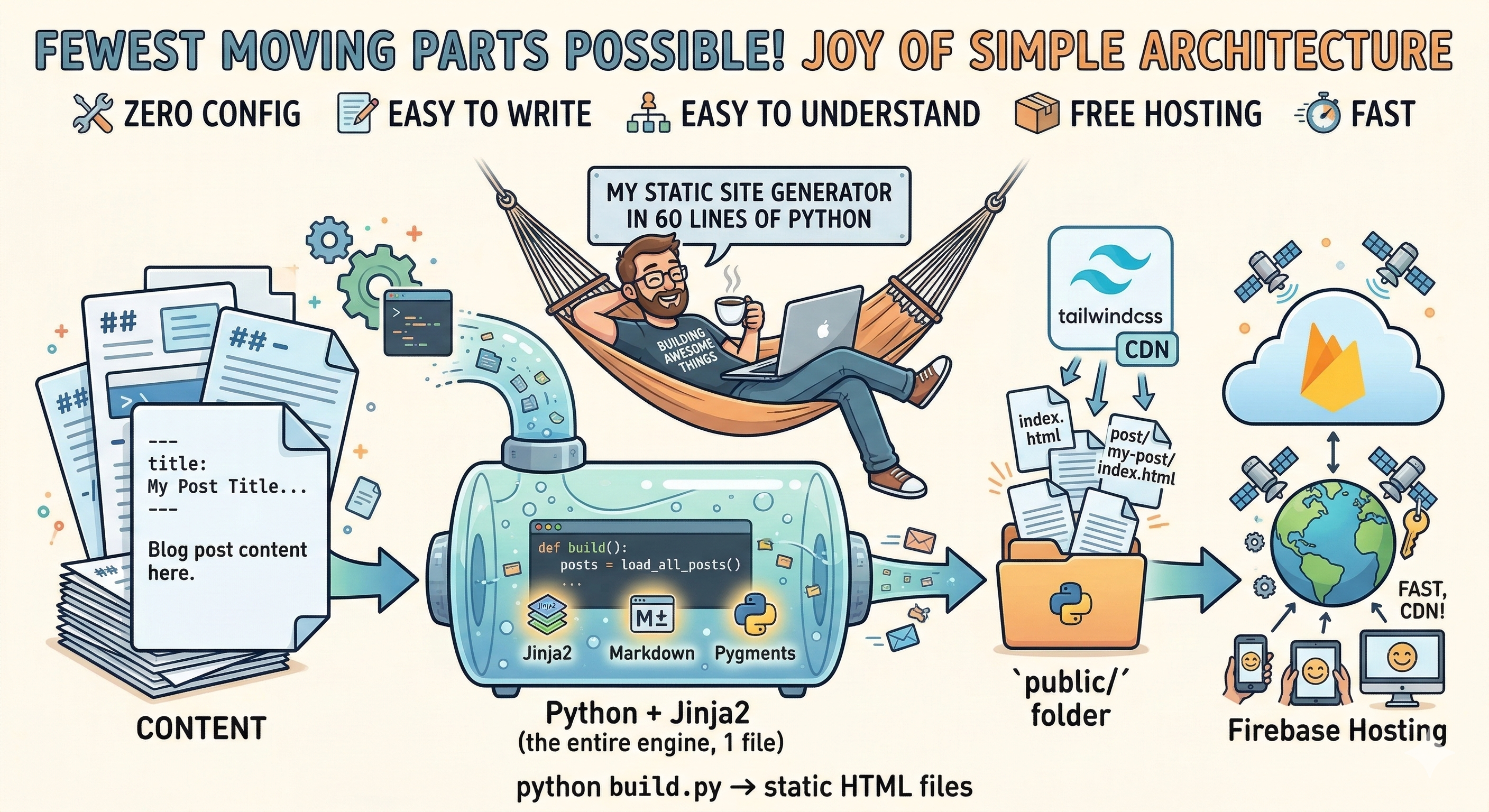
There's a certain joy in building something with the fewest moving parts possible. This blog is a perfect example - a static site generator in about 60 lines of Python.
No framework, no database, no build toolchain. Just a Python script that reads markdown files, renders them through Jinja2 templates, and outputs static HTML files ready for deployment.
The Stack
| Layer | Choice | Why |
|---|---|---|
| Generator | Python | 1-file engine with Jinja2, Markdown and Pygments |
| Styling | Tailwind CSS | Utility-first styling for fast customization |
| Content | Markdown files | Readable, portable, write in any editor, AI & git friendly |
| Hosting | Firebase Hosting | Easy deployment with free hosting, HTTPS, and custom domains |
The Build Process
The entire build process fits in a single file (build.py) and does three things:
- Load - read all
.mdfiles from theposts/directory, parse their metadata and convert markdown to HTML - Render - pass the data through Jinja2 templates to produce full HTML pages
- Output - write everything into a
public/folder, copy static assets alongside
def build():
    posts = load_all_posts()

    index_tmpl = env.get_template("index.html")
    (OUTPUT_DIR / "index.html").write_text(index_tmpl.render(posts=posts))

    post_tmpl = env.get_template("post.html")
    for post in posts:
        out = OUTPUT_DIR / "post" / post["slug"] / "index.html"
        out.parent.mkdir(parents=True, exist_ok=True)
        out.write_text(post_tmpl.render(post=post))
Run python build.py, and you get a public/ folder with static HTML files ready to be deployed.
Syntax highlighting comes from Pygments - fenced code blocks in markdown are automatically rendered with the Monokai theme, no client-side JavaScript needed.
Writing a Post
Each post is a markdown file with metadata at the top:
---
title: My Post Title
date: 2025-11-04
subtitle: A short description.
tags: [python, tailwindcss, firebase]
---

Blog post content here.
No routing configuration, the filename becomes the URL slug (eg: 2025-11-04-building-a-minimal-static-blog.md → /2025-11-04-building-a-minimal-static-blog).
Deployment
Firebase Hosting serves static files from a CDN with free HTTPS and custom domain support. A predeploy hook in firebase.json runs the build automatically:
{
  "hosting": {
    "predeploy": ["python build.py"],
    "public": "public"
  }
}
A single firebase deploy builds the site and pushes it live. For local development, a watch.py script uses watchdog to auto-rebuild on every file save.
Conclusion
This stack trades features for simplicity with only markdown files, a short Python script, and static HTML files on a CDN.
The entire generator fits in one file, depends on four packages, and deploys with a single command. When something breaks, there are very few places to look. When you want to write, you open a text editor and create a .md file.
The setup is minimal - which is the point - less time managing code and infrastructure, and more time to write!